
 EN
 BG
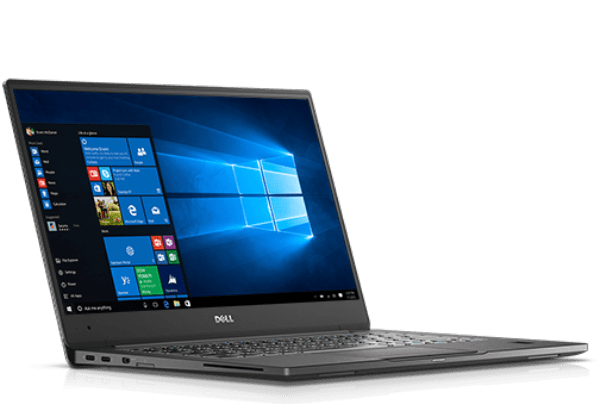
Dell Latitude 3590 15.6-inch entry business laptop with a numeric keypad from the Latitude 3000 line
The Dell Latitude 3590 is the large-screen member of the entry Latitude 3000 line: a machine with a full input surface, a numeric keypad and real SO-DIMM upgrades, built mainly for desk work. As a refurbished business laptop from ITR Bulgaria, it is a sensible pick for small companies, administrative teams and corporate fleets that want a large screen and Latitude reliability at an affordable price.
Benefits
Why the Dell Latitude 3590 makes sense as a refurbished business laptop from the entry Latitude 3000 line
15.6″ screen + numeric keypad
The large body fits a full numeric keypad to the right of the main keyboard, an input surface that 14-inch models have no room to include.
2× SO-DIMM up to 32 GB DDR4
Two genuine memory slots, nothing soldered, so RAM can be upgraded to 32 GB DDR4 (2133 or 2400 MHz depending on the processor) years after purchase. A rarity in the entry class, where many rivals use fixed memory.
6th, 7th and 8th generation Intel Core
A wide processor range of 6th, 7th and 8th generation Intel Core (i3/i5/i7 U-series) as well as Celeron, with integrated Intel HD or UHD graphics depending on the processor, enough for the office suite, browser, ERP and video calls.
Optional AMD Radeon 530
Some configurations add a discrete AMD Radeon 530 for a bit more graphics headroom beyond the integrated GPU. It depends on the specific unit.
Dell ExpressCharge (about 80% in an hour when switched off)
A 42 Wh battery (with an optional 56 Wh) with Dell ExpressCharge, which Dell rates at about 80% in one hour with the laptop switched off and the feature enabled. Handy when the machine sits on a desk and tops up between tasks.
Full-size RJ45 Ethernet
A built-in wired network port with no dongle, the kind of feature that offices with fixed desks and a stable wired network still rely on every day.
720p camera with privacy shutter
An HD webcam with a physical lens cover. Slide it when you are off a call and the camera is closed mechanically, with no software setting involved.
MIL-STD-810G + spill-resistant keyboard
The chassis is tested to MIL-STD-810G durability standards, and the keyboard is spill-resistant and optionally backlit, a practical base for everyday office use.
TPM 2.0 + optional fingerprint reader
TPM 2.0 as a base for company security, an optional fingerprint reader separate from the power button, and a Noble Wedge slot for physically locking the device at a workstation.
Value as a refurbished laptop
As a used business laptop from an established brand, the Dell Latitude 3590 gives you a large screen and full input surface at an affordable price, after a technical audit and refurbishment.
Dell Latitude 3590: the large-screen 15.6-inch entry Latitude with a numeric keypad
In the 15.6-inch entry class, three machines compete for almost the same customer: the Dell Latitude 3590, the HP ProBook 450 G5 and the Lenovo ThinkPad E580. On a spec sheet they are hard to tell apart, with the same Kaby Lake-R base, a large 15.6-inch screen and a price in the affordable business class. The difference is what each one bets on. The Latitude 3590 holds the balance between a big screen, a numeric keypad and full SO-DIMM upgradeability, while dropping the built-in optical drive that HP still keeps. Dell went for a cleaner 15.6-inch body instead of the DVD reader.
The large body fits something 14-inch models have no room for: a full numeric keypad to the right of the main keyboard. That is the surface that turns the laptop into a proper desk tool for anyone who works with figures. The hand stays on the keys instead of reaching up to the number row for every value. The keyboard itself is spill-resistant and optionally backlit, with 1.6 mm of key travel, deep enough to feel every press through long data-entry sessions.
The model's mission shows most clearly in what was NOT cut. Per the catalog, a Dell Latitude 3590 can carry a TPM chip for cryptographic keys, a fingerprint reader and even a smartcard reader — the protective arsenal of the expensive Latitudes, carried into the most affordable series. Dell's logic is principled: security is not an extra scaled to budget but basic equipment. For a small firm keeping client data on every desk, that decision is worth more than a few extra hertz — and it is exactly what separates a business machine from a same-priced home laptop.
The Latitude 3000 line was not always there. Dell created it by folding its Vostro small-business range into the Latitude family, opening an affordable door into the company's business class: the same TPM 2.0 security base, the same management logic and the same naming scheme, where the middle digit is the screen size and the last two mark the generation. In that ladder, the 3000 series sits at entry level, below the mainstream 5000 and the flagship 7000 series. The Dell Latitude 3590 is the 15.6-inch member of that entry tier, built for organizations that want Latitude reliability and support without the flagship price. That is why the line shows up in offices, schools, hospitals and administrative departments, where the same machine is ordered in large volumes and has to keep working for years without surprises.
Under the lid, the Dell Latitude 3590 spans a wide processor range: 6th, 7th and 8th generation Intel Core (i3, i5 and i7 U-series) as well as Celeron, with integrated Intel HD or UHD graphics depending on the processor, and in some configurations it adds a discrete AMD Radeon 530 for a bit more graphics headroom. The real entry-class rarity is the memory: two genuine SO-DIMM slots, DDR4-2133 or DDR4-2400 depending on the processor, up to 32 GB, nothing soldered, so the machine can be upgraded years after purchase. The 42 Wh battery (with an optional 56 Wh) uses Dell ExpressCharge and returns about 80% in an hour with the laptop switched off and the feature enabled. The ports suit an everyday office: two USB-A ports (one USB 3.1 Gen 1 and one USB 2.0), HDMI 1.4 and a full-size RJ45 for the wired network that many fixed-desk companies still use. The camera is 720p, but with a physical privacy shutter, a small detail you appreciate every time you slide the cover over the lens.
The honest trade-off of the Dell Latitude 3590 is clear: at around 2.02 kg it is desk-oriented, a machine for a fixed workstation rather than daily carry in a backpack. If you want the same entry class but more portable, the 14-inch Dell Latitude 3490 is the more logical pick, though it loses the numeric keypad and some screen area. If you value ThinkPad ergonomics, the Lenovo ThinkPad E580 adds a red TrackPoint and an optional Radeon RX 550 in the same 15.6-inch class. And if you still need a built-in optical drive, the HP ProBook 450 G5 keeps an optional DVD writer that the 3590 deliberately drops. As a refurbished business laptop from ITR Bulgaria, the Dell Latitude 3590 is a sensible choice for companies that want a large screen and a full input surface at an affordable price: a used business laptop from an established brand that, after a technical audit and refurbishment, ships with a real warranty and is prepared for renewed business use.
Who it suits
Scenarios where the Dell Latitude 3590 makes the most sense
Heavy data entry in a small company
An employee who handles orders, stock levels and invoices alone. The numeric keypad keeps the right hand on the digits while the left navigates the form, one machine for data entry instead of an external keypad plugged into a laptop without one.
Desktop replacement on a desk
A large 15.6-inch screen, a full keyboard with a number block and a wired RJ45 port. The Dell Latitude 3590 stays on the desk all day and replaces a tower with a monitor in a small office, tidier and cheaper. ExpressCharge tops it up between tasks.
Corporate fleet with a large screen
An IT department equipping staff with the same 15.6-inch model. Standardised components, SO-DIMM upgrades and TPM 2.0 keep support and refurbishment predictable when buying in large volumes.
Administration and accounting
For accounting and payroll software, the number block and the matte 15.6-inch screen handle long sessions with spreadsheets and documents. As a refurbished laptop from the business class, it brings that input surface at a more reasonable price.
Model highlights
15.6″ screen with numeric keypad
The large body fits a full numeric keypad, a complete data-entry surface that 14-inch Latitude models (such as the Dell Latitude 3490) have no room to include.
2× SO-DIMM up to 32 GB DDR4
Two slots for DDR4 (2133 or 2400 MHz depending on the processor) with no soldered memory, so RAM can reach 32 GB after purchase. Many entry-class rivals use fixed memory, which makes this a real long-term margin.
6th, 7th and 8th generation Intel Core
A processor range with 6th, 7th and 8th generation Intel Core (i3/i5/i7 U-series) as well as Celeron, with integrated Intel HD or UHD graphics depending on the processor. Some configurations also add a discrete AMD Radeon 530.
Dell ExpressCharge battery
A 42 Wh battery (with an optional 56 Wh) with Dell ExpressCharge returns about 80% in one hour with the laptop switched off and the feature enabled. Practical when the machine sits on a desk and tops up between tasks.
+ 2× USB-A
A built-in wired network port with no dongle, two USB-A ports (one USB 3.1 Gen 1 and one USB 2.0), HDMI 1.4 and an SD card reader, connectivity for an everyday office with fixed desks.
720p camera with privacy shutter
An HD webcam with a physical lens cover that closes the camera mechanically, with no software setting. A small but appreciated detail in the affordable class.
Durability and security
MIL-STD-810G testing for the chassis, a spill-resistant keyboard, TPM 2.0 and an optional fingerprint reader, a base for company management and physical protection.
A logical pick as a refurbished laptop
The Latitude 3000 line was designed for mass deployment, with standardised components and good serviceability. That makes the Dell Latitude 3590 well placed as a used laptop that has been refurbished.
Refurbished by ITR Bulgaria: what value do you get?
Buying a refurbished business-class laptop makes the strongest sense when the device has gone through a standardised internal refurbishment process and arrives with a real warranty. That is how used laptops become refurbished laptops — a practical, dependable and professional alternative to new entry-level machines, or a far more sensible purchase than new premium equivalents.
- ✓ Technical audit and cosmetic assessment of the device according to an internal standard
- ✓ Refurbishment, cleaning, quality improvement and configuration to standard for repeat business use
- ✓ Use of original software and a prepared configuration appropriate to the model
- ✓ Packaging, real warranty and ongoing support for the model from ITR Bulgaria
Ready to see the available units?
The Dell Latitude 3590 is a refurbished business laptop from the entry Latitude 3000 line: a large screen, a numeric keypad and real SO-DIMM upgrades, tested and prepared for work. Browse current stock or contact us for help.
Additional information
Where this model fits in the series ▼
The Dell Latitude 3590 belongs to the Latitude 3000 series, Dell's entry business line. In the Latitude hierarchy, the 3000 series sits below the 5000 (mainstream business) and below the flagship 7000 series. That placement makes it an affordable door into the business class: the same security and management base as the higher series, at a lower price.
Within the 3000 series itself, the logic is by size: the Dell Latitude 3490 is the 14-inch version (more portable, no numeric keypad), and the Dell Latitude 3590 is the 15.6-inch one, with a large screen and a full keyboard with a number block, aimed at work mainly at a desk.
The Dell Latitude 3590 is a standard laptop with no 360-degree hinges. There is no convertible variant in this entry line at the same size, so the choice is clean: a large 15.6-inch body for desk use and data entry.
The Dell Latitude 3590 is not ideal if… ▼
- You need maximum portability for daily carry, at around 2.02 kg the Dell Latitude 3590 is desk-oriented. The 14-inch Dell Latitude 3490 or a lighter class is more logical.
- You need strong graphics for video editing or 3D, the Dell Latitude 3590 offers only an optional entry discrete Radeon 530. For those tasks, look at the Dell Precision series or configurations with a more powerful dGPU.
- You rely on Thunderbolt or premium docking over a single cable, the Dell Latitude 3590 has no Thunderbolt port. For a docking ecosystem, look at the mainstream Latitude 5000 or the flagship 7000 series.
- You need a 2-in-1 or a tablet mode, the Dell Latitude 3590 is a standard laptop with no 360-degree hinges. It is available with an optional HD touchscreen, which on its own does not make it a tablet.
- You need a guaranteed specific configuration (a particular CPU, an HD or FHD display, the Radeon 530, a fingerprint reader, a battery size), configurations vary and it is important to check the specific unit before purchase.
Choosing the right size and form factor ▼
The 15.6-inch class is the large work surface in the line. The Dell Latitude 3590 fits a full keyboard with a number block and a roomy screen, suited to work mainly at a desk, data entry and a multi-window setup, at around 2.02 kg.
14-inch class (Dell Latitude 3490): lighter and more compact for more frequent carrying. Trade-off: no room for a numeric keypad and a smaller screen area.
Form factor: the Dell Latitude 3590 is a standard clamshell laptop with no 360-degree hinges and an optional HD touchscreen. There is no convertible variant in this entry line, so if you need a 2-in-1 or a tablet mode, it falls outside this size class.
Alternative models ▼
Within Dell:
Dell Latitude 3490 — the 14-inch version from the same entry generation. More portable and easier to carry, but it loses the numeric keypad and some screen area. A logical pick if mobility matters more than the work surface.
Dell Latitude 5590 — a 15.6-inch model one tier up (mainstream Dell Latitude 5000). More management options and ports, usually at a higher price as a refurbished laptop. An alternative if you need more business features than the entry class offers.
Cross-brand alternatives (15.6″, entry business class, same period):
HP ProBook 450 G5 — a direct competitor in the 15.6-inch entry class. It keeps an optional built-in DVD writer that the Dell Latitude 3590 drops. A logical pick if you still need the optical drive; the Dell Latitude 3590 bets on a cleaner body instead.
Lenovo ThinkPad E580 — the 15.6-inch entry Lenovo ThinkPad. It adds a red TrackPoint and an optional AMD Radeon RX 550, alongside a numeric keypad and a full-size RJ45. An alternative if you value Lenovo ThinkPad ergonomics.
Note: do not compare the Dell Latitude 3590 with the Dell Latitude 7000 or premium models, they are from a different, higher business class with a different target group.
Refurbished by ITR Bulgaria: what value do you get? ▼
The Dell Latitude 3590 is the kind of machine where refurbishment has clear logic. The entry Latitude 3000 line was designed for mass company deployment, with standardised components and good serviceability: accessible SO-DIMM slots and an M.2 NVMe slot mean memory and storage can be checked and replaced with a predictable result during refurbishment.
After going through the process, the used laptop is prepared for repeat business use: a technical audit, cleaning, configuration, original software and packaging with a real warranty. For companies equipping their staff, that is the difference between a random used laptop and a refurbished business laptop with ongoing support for the model from ITR Bulgaria.
Frequently asked questions ▼
Is the Dell Latitude 3590 a good choice as a used laptop?
Yes, for a specific user profile. The Latitude 3000 is Dell's entry business line: a large 15.6-inch screen, a numeric keypad and real SO-DIMM upgrades, designed for mass company use. As a refurbished laptop from the business class, the Dell Latitude 3590 brings that work surface at an affordable price, especially for desk work and data entry.
Does the Dell Latitude 3590 have a numeric keypad?
Yes. The large 15.6-inch body fits a full keyboard with a number block to the right of the main keys, unlike the 14-inch Dell Latitude 3490, which has no room for one. This is one of the main reasons to choose the 15.6-inch model.
Can the memory in the Dell Latitude 3590 be upgraded?
Yes. The model has two SO-DIMM slots for DDR4 memory (2133 or 2400 MHz depending on the processor), with no soldered modules, so it can be upgraded to 32 GB even after purchase. There is also an M.2 NVMe SSD slot, so storage can be replaced or increased too.
What configurations does the Dell Latitude 3590 come in?
The model comes with 6th, 7th and 8th generation Intel Core processors (i3, i5 or i7 U-series) or Celeron, an HD or FHD display, an optional discrete AMD Radeon 530, an optional fingerprint reader and a 42 Wh or 56 Wh battery. Configurations vary, so it is important to check the specific unit.